Every item, from draft to decision. Done your way.
Give departments a clear way to submit. Route each item through the people who need to review it. Assemble and publish the official packet with the item's history intact and your process in place.
Public portal preview powered by included Govinity Access.
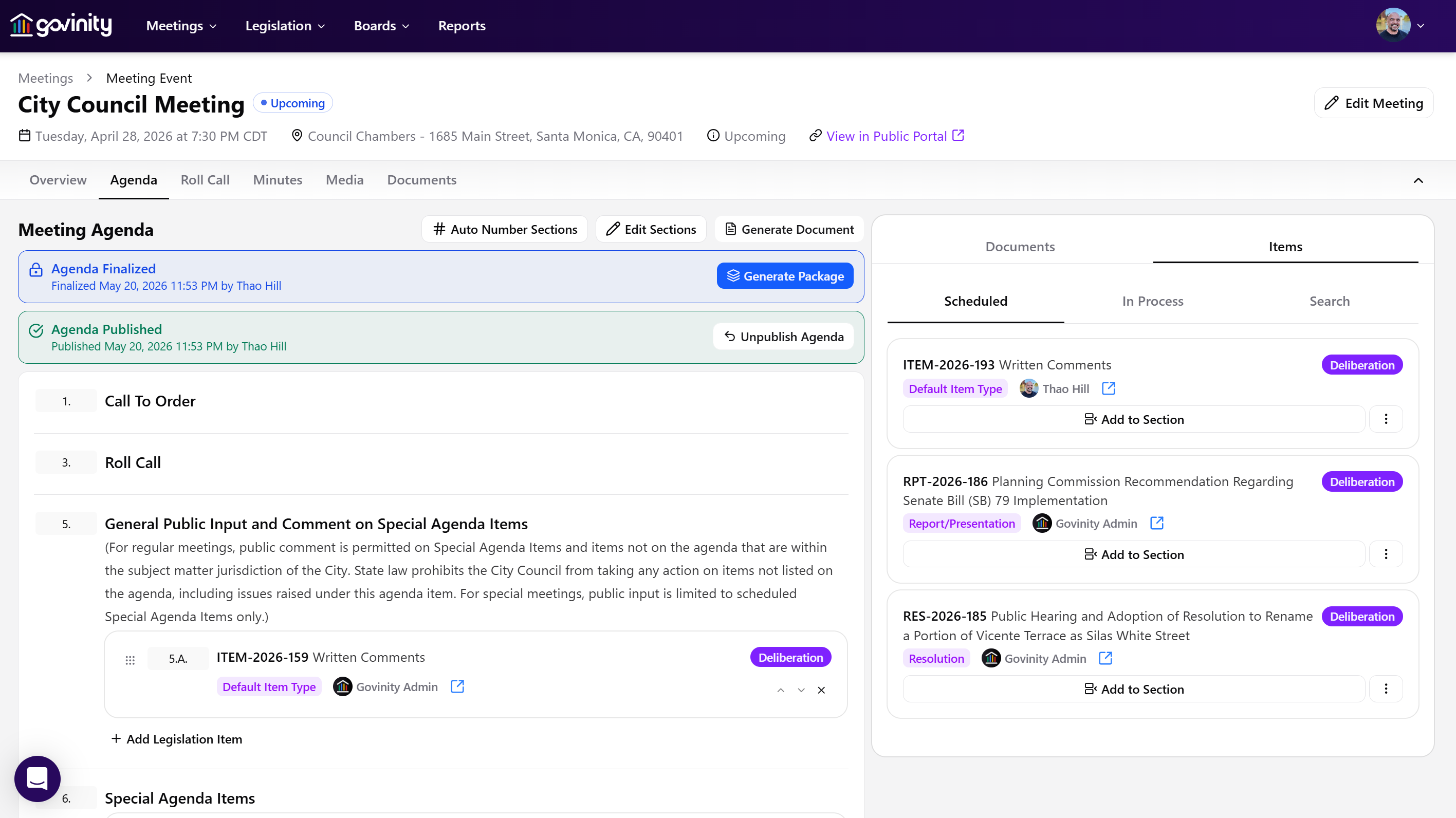
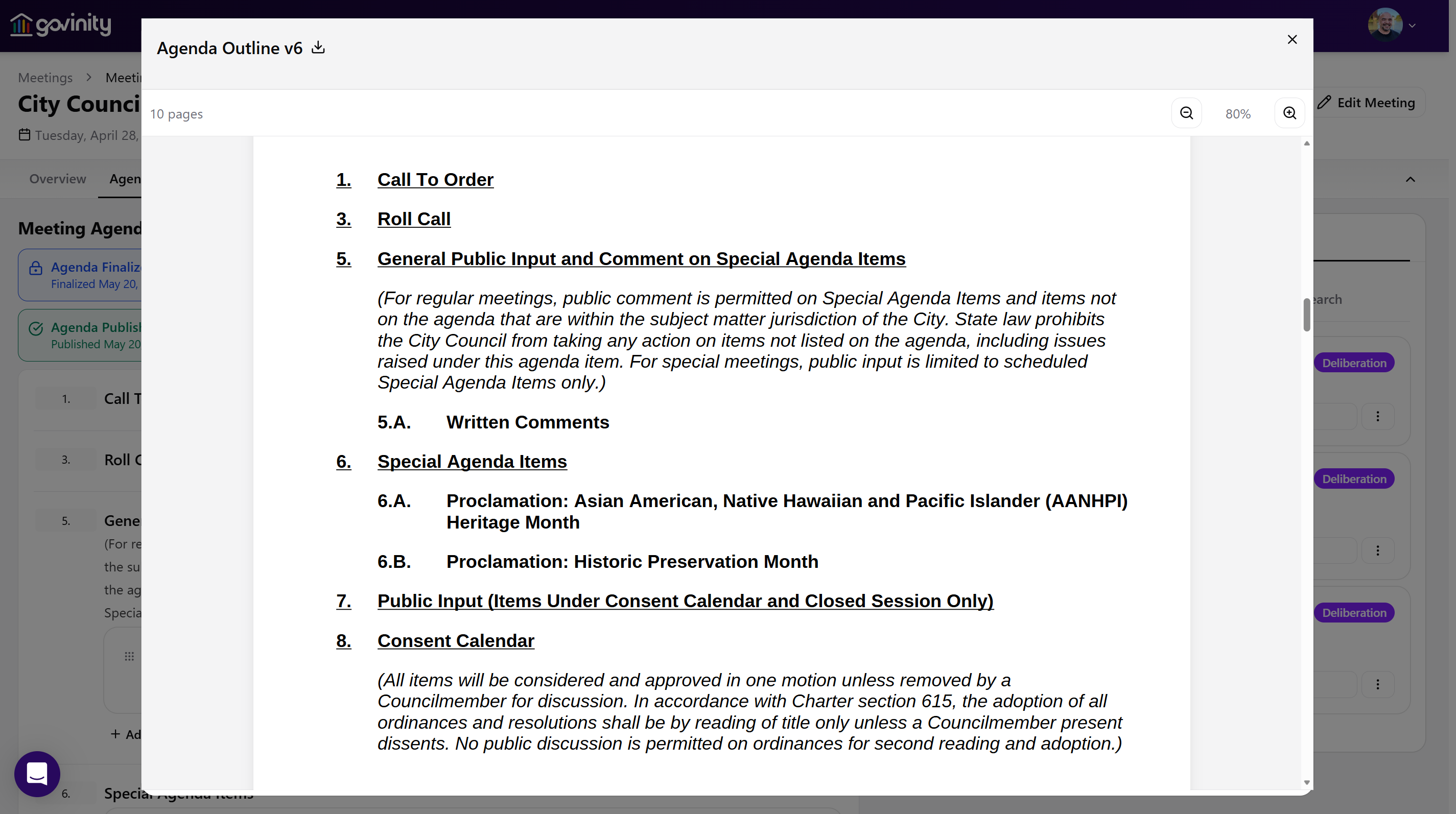
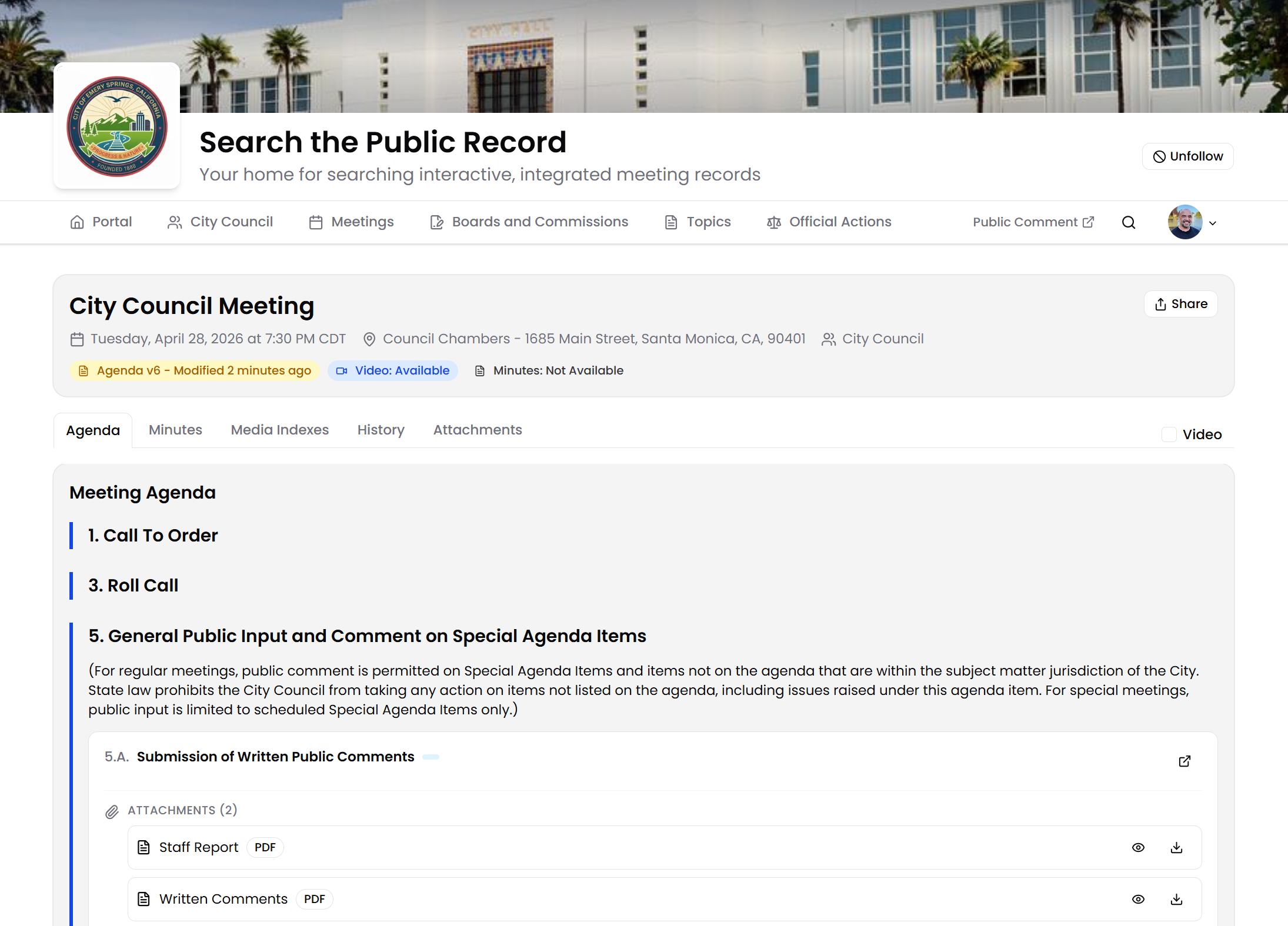
One truly connected process, from submission to published packet.
An item starts with a department and moves through your review chain before the clerk assembles the agenda. No separate spreadsheet to keep the pieces together.
Submit
Departments submit items with the information and attachments their item type requires
Review
Items move through your real review chain with owners, due dates, and history
Assemble
Build the agenda once and the official packet compiles automatically
Publish
Post to the public with deadline-aware notices and an accessible packet
Complete items start with clear requirements.
A proclamation and an emergency ordinance need different information. Give departments guidance tied to the item they're submitting, so missing pieces don't become the clerk's last-minute work.
- Item-specific forms show only relevant questions, with plain-language guidance and custom fields.
- Required information, attachments, and supporting context must be present before an item moves forward.
- Instant accessibility checks flag attachment issues at submission, with one-click fixes.
- Department and submitter ownership is recorded at the start and stays with the item.
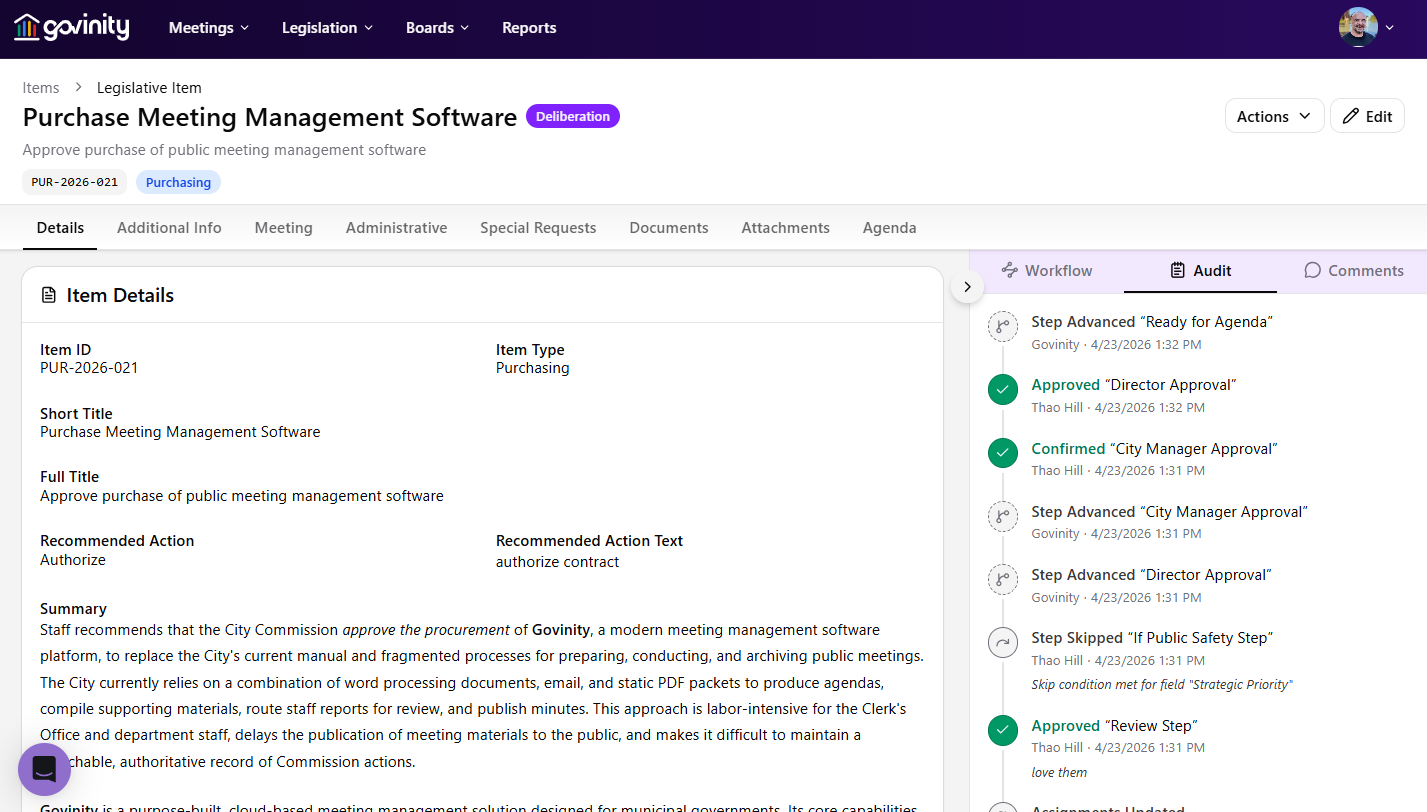
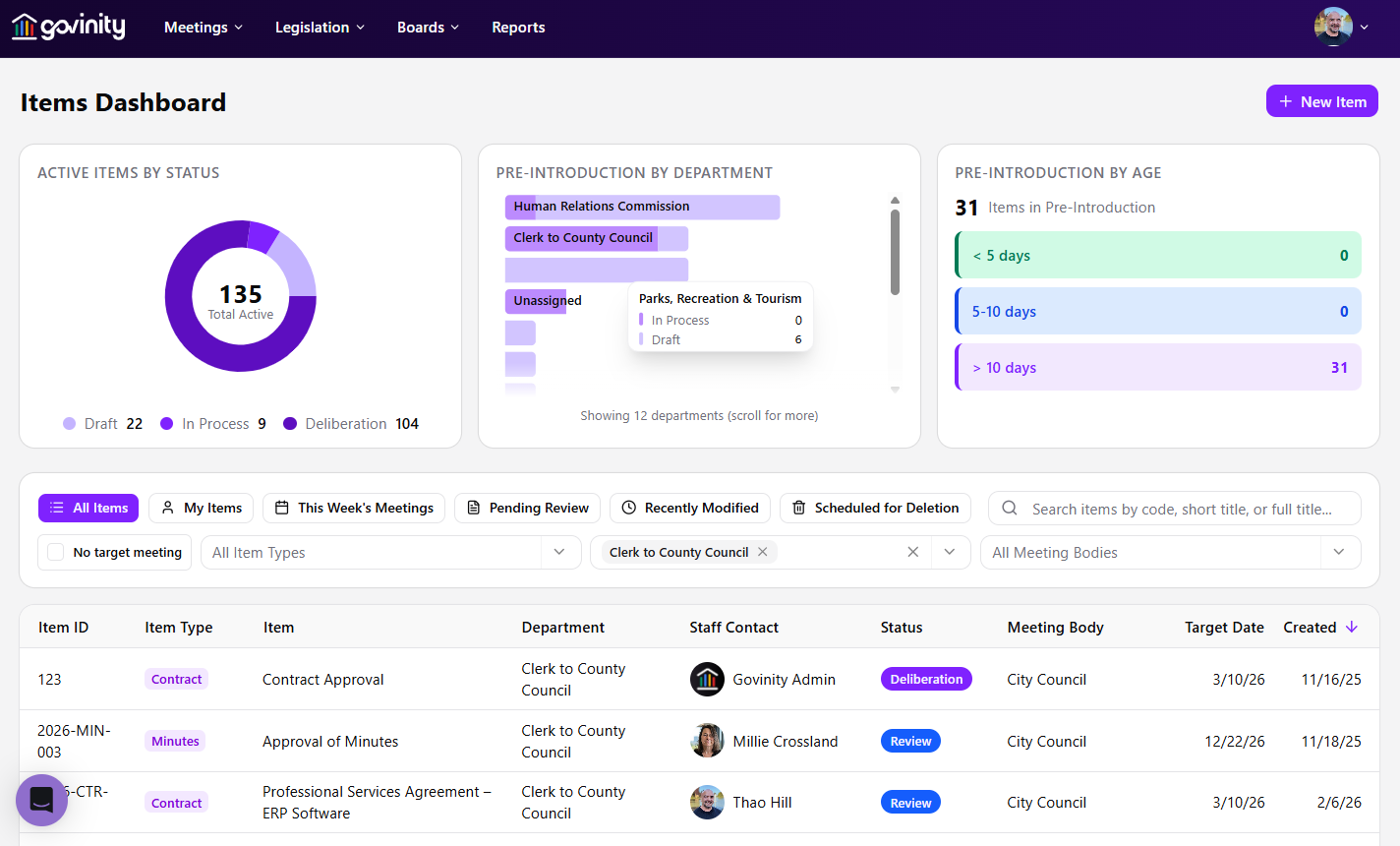
The right people. The right review. Your rules.
Centralize compliance and controls. Decentralize the tasks. Each department can do its part without moving the process into inboxes and shared spreadsheets.
Your review chain, not a workaround
A proclamation doesn't route like a land use approval. Configure the steps, people, and rules for each item type in a simple visual workflow builder your team can easily maintain.
- Legal and Finance can review in parallel; custom fields determine the next step and reviewer
- Route to the director of the originating department and delegate approvals during absences
- Return items with comments, notify the department, and unlock editing without a full restart
- Approve items in bulk when they're ready
One picture of every item in flight
Submitters, reviewers, and clerks can see where an item stands and what's next. Department and submitter ownership stays with the item throughout review.
- Saved views, filters, and a pinned home screen for each user
- Meeting-linked deadlines, automatic escalation, and an at-risk-item dashboard
- Clarifications stay on the item rather than in a separate email thread
- A field-level audit log records who changed what and when
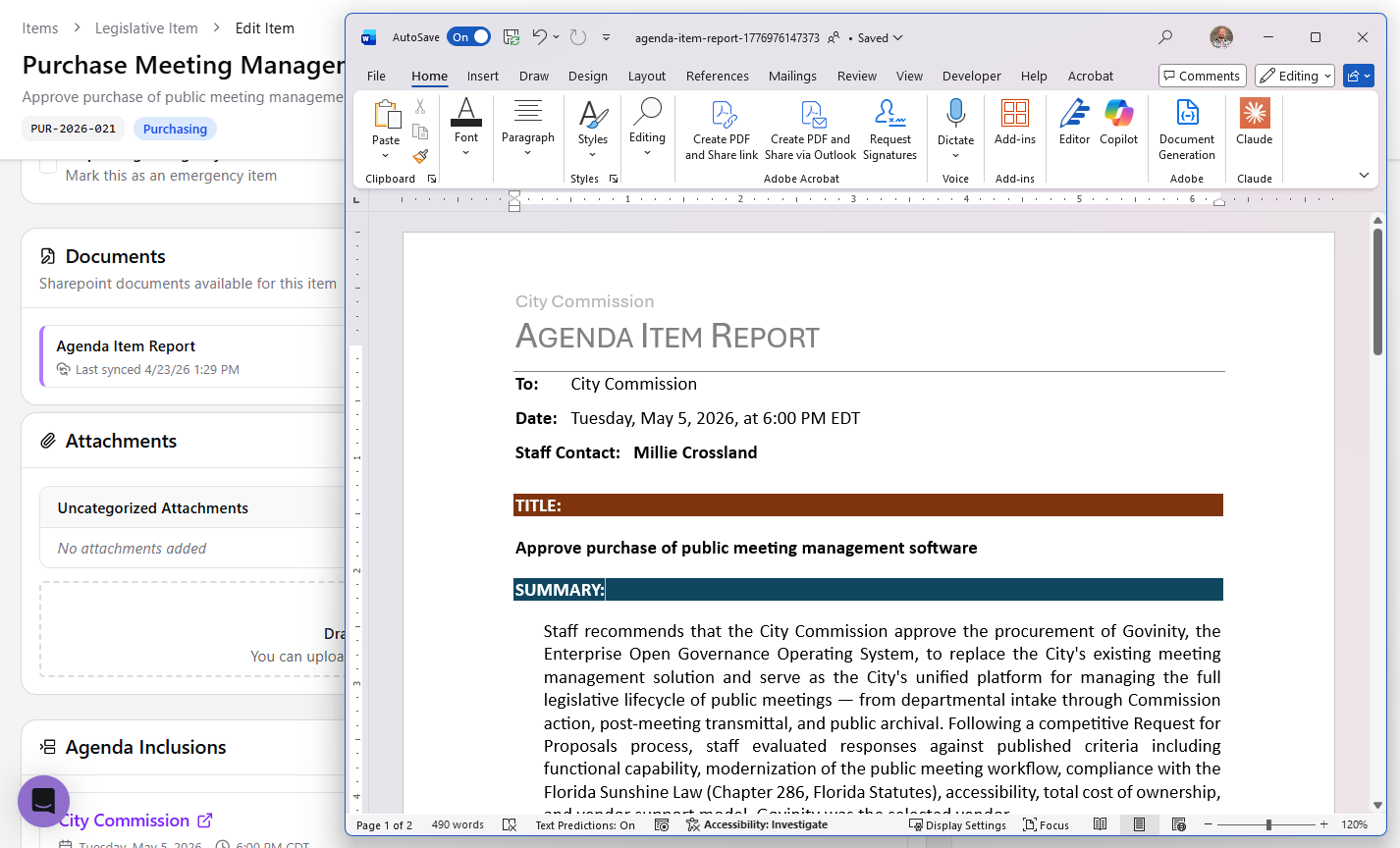
Work where your team already writes.
Submission information carries into the staff report. Department leads and staff attorneys work in the same document instead of emailing copies back and forth.
Draft and route documents inside Microsoft 365 (Word, SharePoint, and OneDrive) while Govinity AgendaCycle handles versions and approvals. Updates during review carry through to the package.
A packet that fits how your public bodies meet.
Assemble reviewed items into your agenda format, accommodate joint meetings, and publish with the controls each body requires.
Templates and standard clauses
Define your agenda template once per meeting body. Build a library of reusable clauses for recurring motions and resolutions. Variables auto-fill from item data, so no one is copy-pasting between systems.
- One agenda template per meeting body, not one for the whole org
- Keep your agency’s established published format when you move to Govinity.
- Reusable clauses for recitals, findings, and standard motions
- Variables pull live from item, member, and meeting data
- Versioned clauses with effective dates for legal accuracy
Joint meetings, handled
Meetings and meeting bodies are many-to-many in Govinity. Committees of the whole, joint sessions, and special meetings work without workarounds because the data model was designed for how government actually meets.
- One meeting can belong to multiple bodies, natively
- Committee of the whole, study sessions, and joint hearings
- Add one item to several meetings directly from the item page
- Posting and notice requirements respected for every participating body
Packet assembly and publishing
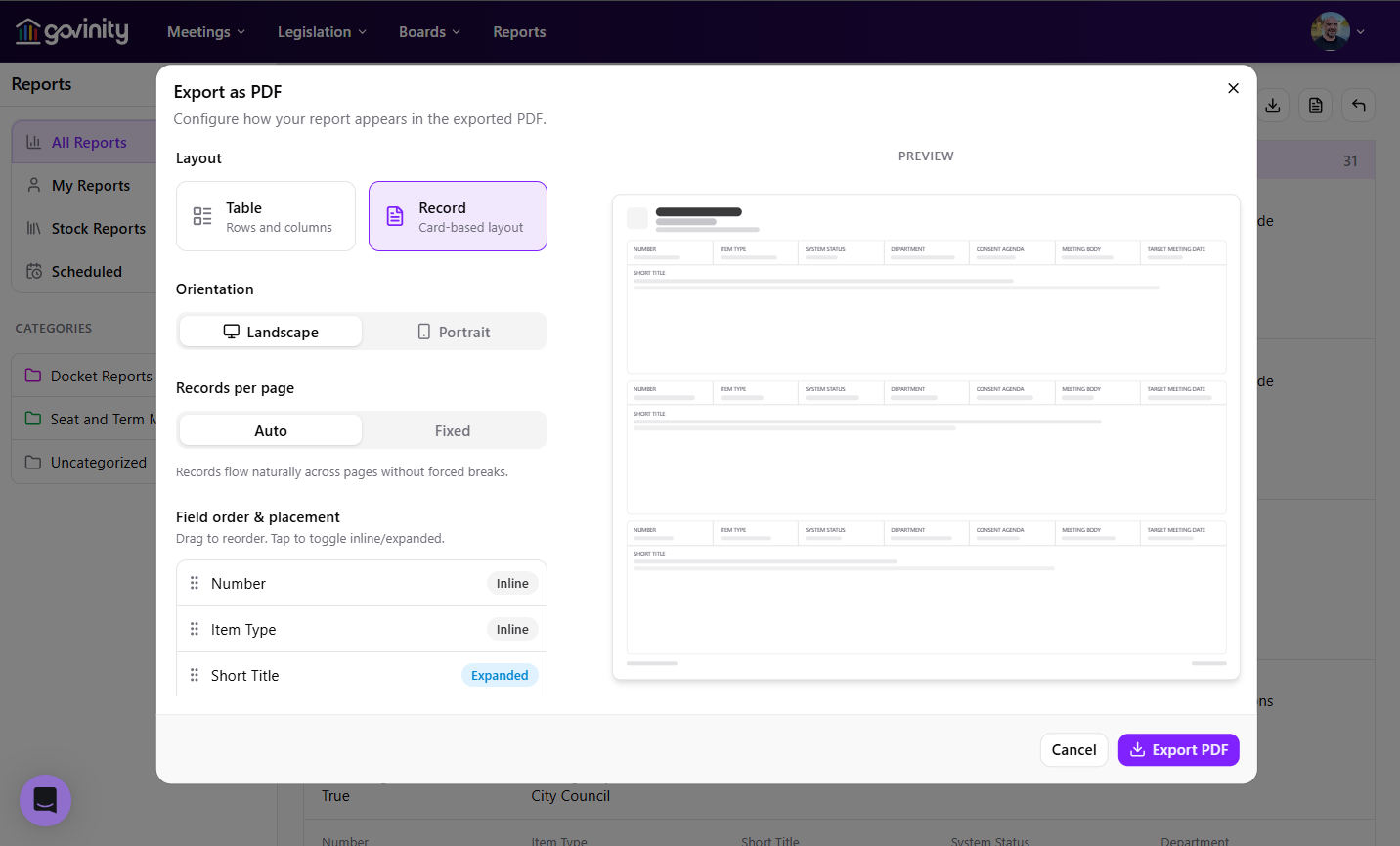
Build the agenda once and the official packet compiles itself, bringing items, attachments, staff reports, and supporting exhibits into a single, paginated, accessible document. Publish to the public in one click, or hold for final sign-off.
- Drag-and-drop agenda ordering with automatic renumbering
- Compiled packets with pagination, bookmarks, and a linked table of contents
- Accessible by default: tagged structure, alt text prompts, output built to WCAG 2.1 AA
- Re-publish revisions with change notices and prior-version retention
Open meetings compliance, built in
Configure posting and notice controls for the statute that applies to each meeting body, rather than relying on a generic default.
- Deadline-aware posting with notices to staff before the clock runs out
- Hold the packet for final sign-off before publication
- Automatic resolution and contract numbering using your agency's rules

The people behind this product have run agenda day themselves.
Govinity AgendaCycle was shaped by a team that includes former municipal clerks and board secretaries with a combined three decades inside the room. We've prepped packets the night before, fielded calls from council members at all hours, and kept it together while keeping the public trust in front of the public. The product reflects doing the work for a generation, and what that work actually requires.
An accessible, searchable record for everyone
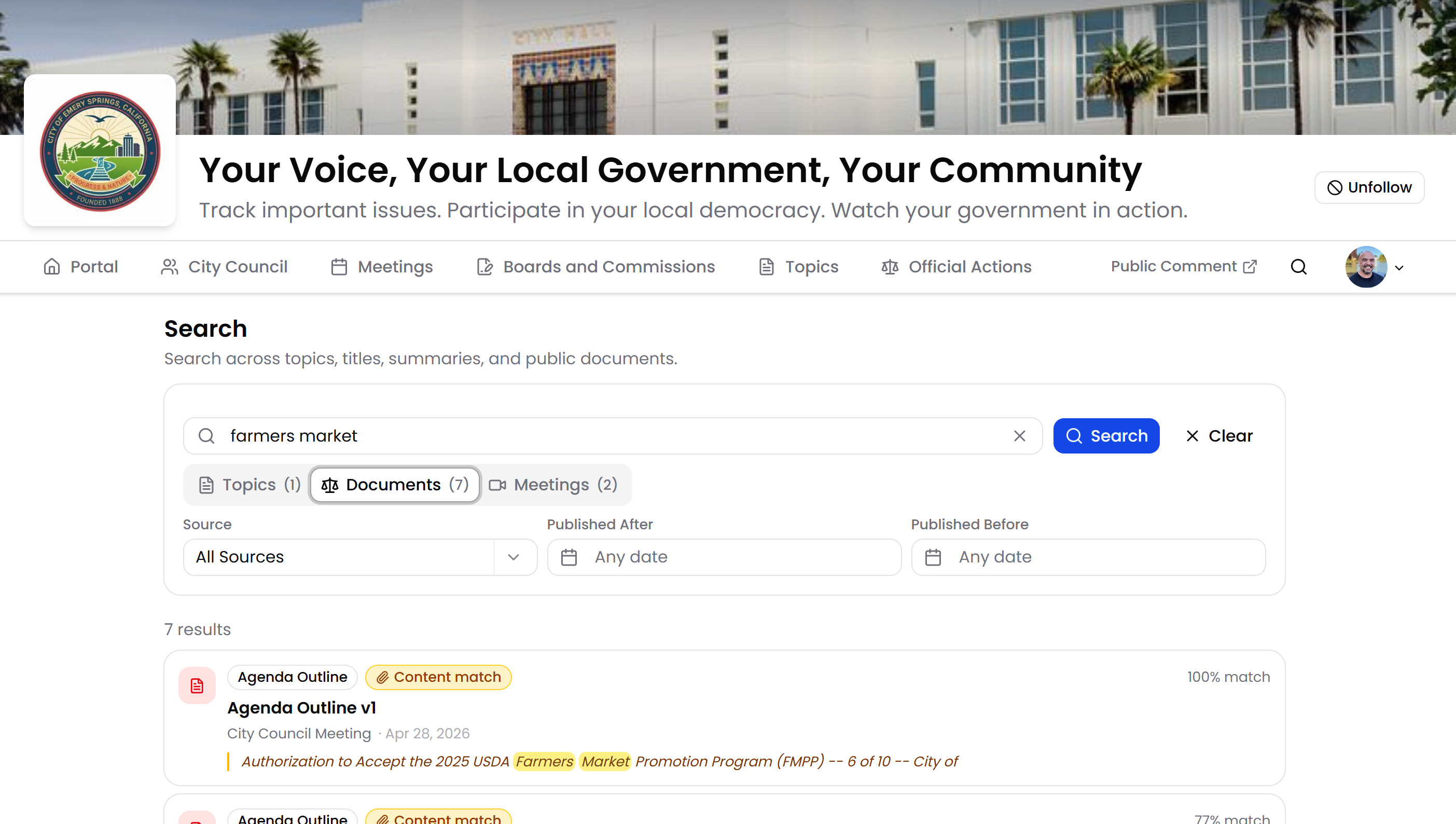
Govinity Access is included with Govinity AgendaCycle. It brings the public portal and reporting together, so residents and reporters can find published items, attachments, and approved agendas across meeting bodies without a login.
- Govinity Access provides full-text search across agenda outlines, items, attachments, and prior meetings
- Filter by board, topic, date range, or document type to answer questions in seconds, not days
- Accessible by default: keyboard-navigable, screen-reader friendly, built to WCAG 2.1 AA
- Native translation in more than a dozen languages and counting, built into Govinity without relying on Google Translate
- Records requests served by the public site itself mean fewer tickets in your queue
Connected when you need them. Available separately, too.
Govinity Gavel handles live and archived meeting records, minutes, and post-meeting transmittal. When used together, a motion recorded in Govinity Gavel ties back to its agenda item and video moment through the shared data model.
The item's story doesn't end at publication. When Govinity AgendaCycle and Govinity Gavel are used together, recorded actions automatically update the item's legislative status. Govinity AgendaCycle also handles post-meeting numbering of enacted items using your agency's rules. Minutes and post-meeting transmittal remain in Govinity Gavel.
Govinity Tenure handles board management. Govinity AgendaCycle, Govinity Gavel, and Govinity Tenure are available together or separately; Govinity Gavel and Govinity Tenure are not included with Govinity AgendaCycle.
Laserfiche integration, live in Lebanon
The City of Lebanon, NH uses the Laserfiche integration in production to transfer finalized records with metadata intact into the City's own folder structure.
Included with every product
Govinity Access provides the public portal, engagement, notifications, and reporting.
Available with every product
Govinity Gateway includes the public API, MCP server, and developer documentation for connecting your systems.
Ready to run agenda day on a system built for it?
We'll walk you through Govinity AgendaCycle using your item types, your review chains, your meeting structure, and the items you actually have to publish next week.
Frequently asked questions
What does Govinity AgendaCycle do?
Govinity AgendaCycle carries every agenda item from the first department request to final action, routed the way your agency works. Departments submit items through structured forms, and items move through approval steps you configure. AgendaCycle builds the agenda and packet with automatic numbering, bookmarks and a linked table of contents. After the meeting, each recorded action updates the item's status automatically.
We use Granicus Legistar. Is AgendaCycle a real alternative?
Yes. AgendaCycle covers the full item lifecycle that Legistar agencies rely on, and it was built by people who helped grow Granicus into the category's largest platform. They saw what that software became under private-equity ownership and built what they no longer had the freedom to build. In AgendaCycle, every item keeps one record from submission through the vote in Govinity Gavel, the minutes and the public archive. Configuration is included with every implementation, and pricing is one enterprise license with no per-user fees.
Does AgendaCycle help us meet the ADA Title II accessibility deadline?
Yes. Govinity is built to WCAG 2.1 AA, the standard the Department of Justice's rule requires by April 2027 for larger agencies and April 2028 for smaller ones and special districts. AgendaCycle checks every attachment the moment it's added: it scores the file, shows what's wrong and fixes it with a click. The public portal included with every Govinity product is also built to WCAG 2.1 AA.
What happens when a department submits an incomplete item or one gets sent back?
The department fixes it, not the clerk. When a reviewer returns an item, the submitter gets a notice with the reason, the item unlocks so the department can fix it in place, and resubmitting puts it back into the workflow automatically. Required fields on intake forms catch missing pieces before an item moves forward.
Will AgendaCycle follow our state's open meeting law?
Yes. Posting deadlines, notice content, agenda locking, closed-session handling and records retention are set for each meeting body, based on the statute that applies to it. Arizona's Open Meeting Law and California's Brown Act aren't treated the same by accident. When you switch, we reproduce your templates so your published agendas and packets keep the format the public already knows.
What kind of support do we get?
You talk to the engineers who build Govinity, and anything that needs more attention goes straight to a founder. We respond the same day, every time, and within 15 minutes for meeting-day issues. Live, in-app support covers evening meetings, too. You get a named project manager through implementation and a named customer success manager after go-live. Support is unlimited and included in your subscription.
Does AgendaCycle work with Microsoft 365 and Laserfiche?
Yes. Staff draft and route documents in Microsoft Word, SharePoint and OneDrive, while AgendaCycle handles versions and approvals. Finalized records can move to Laserfiche with their metadata intact; the City of Lebanon, NH runs this in production today. Sign-in works with any standards-based identity provider, such as Microsoft Entra ID.
Can AgendaCycle handle joint meetings and committees of the whole?
Yes. In Govinity, one meeting can belong to several meeting bodies, so joint sessions, committees of the whole, study sessions and joint hearings work without workarounds. You can add one item to several meetings straight from the item page. Posting and notice requirements are applied for every body taking part.
Can residents read our agendas in other languages?
Yes. Translation is built into Govinity, so residents can read meeting titles, agenda text and PDFs in English and 12 other languages, including Spanish, Chinese, Vietnamese, Tagalog, Arabic and Korean. Pages follow the language set in the resident's browser, and documents are translated on demand. Translations read like the language, not word for word, and don't rely on Google Translate. It's part of the public portal included with every Govinity product.